
Connect workspace with Shopify
1. Install app
First, install the free app in your Shopify store.
https://apps.shopify.com/project-id-injector
2. Adjust your shop
Add the new section to your theme. This takes less than a minute.
Watch this video guide:
3. We take care of the rest
You do not need access to the editor yet. We will set everything up for you.
Simply send us an email at info@canvasvision.it with the Shopify product links that should use the editor.
Examples:
- https://your-shop.com/products/customers-wall-art-70-100-cm
- https://your-shop.com/products/customers-wall-art-50-70-cm
After your customer has customized a product, they will be redirected to one of these product pages to complete the purchase.
The final order is placed in your shop.
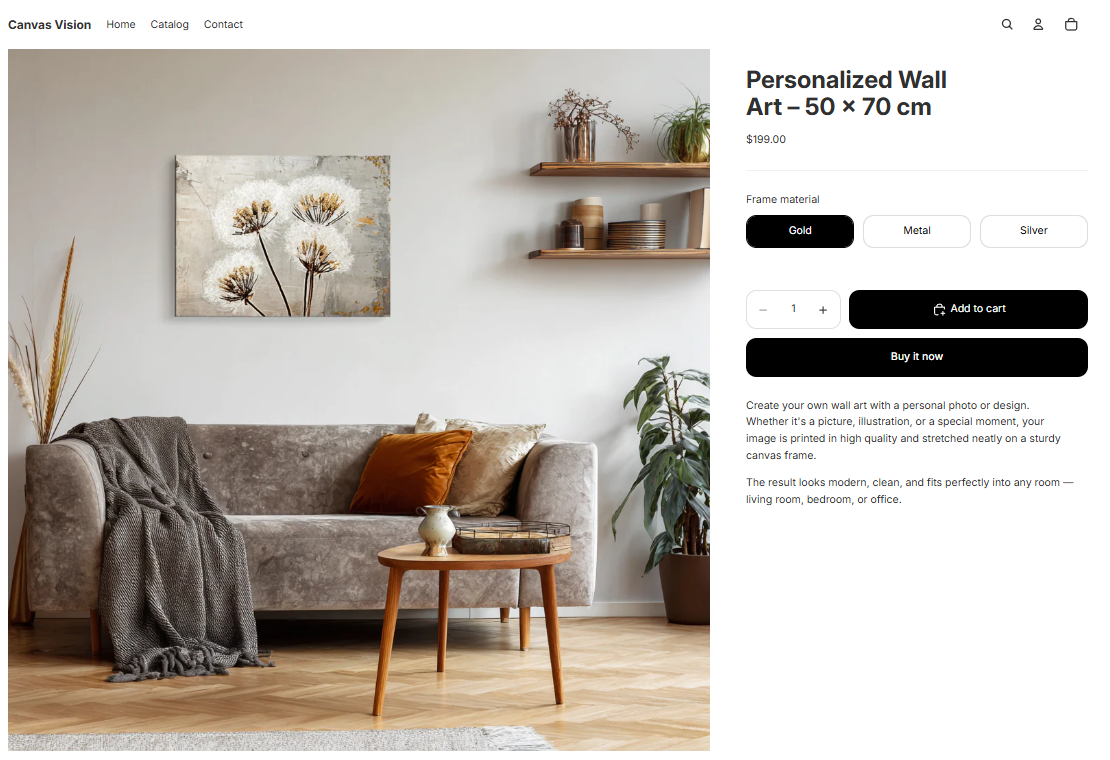
Example: A product page that should be linked to the workspace in the editor.
🔑 Once the setup is completed, you will receive your login details and can start right away.
If you have any questions or issues, feel free to contact us anytime via email, free of charge.